Creating Excitement with Seller Score

Company: Advisr
Role: Product Designer
Device: Desktop
Tools: Figma, G Suite

Working closely with the Product Owner, I helped shape the Seller Score feature, which motivates sellers through friendly competition.

The feature provides Rep-level users with transparent, actionable performance insights, while gamification elements like badges and rewards keep them engaged.

The initiative addressed three key gaps:

  • Increase visibility of performance data in the Activity Tab
  • Engage users by surfacing Seller Scores in-app
  • Motivate sellers through clear, transparent scoring and rewards
Team Members & Collaborators

This initiative was brought to life through close collaboration across several functions:
Product Owner

Provided requirements and the initial concept


Reporting

Defined the metrics behind Seller Scores


Engineering

Built the backend logic and frontend experience


Customer Success

Shared insights and feedback from customers

Marketing

Created one sheets for onboarding and social media assets about the feature

My Role

As the Product Designer, I led the design of the feature’s structure, visual treatment, and interaction flows,

ensuring the scores were easy to understand and motivating to use.

Seller Score Deliverables

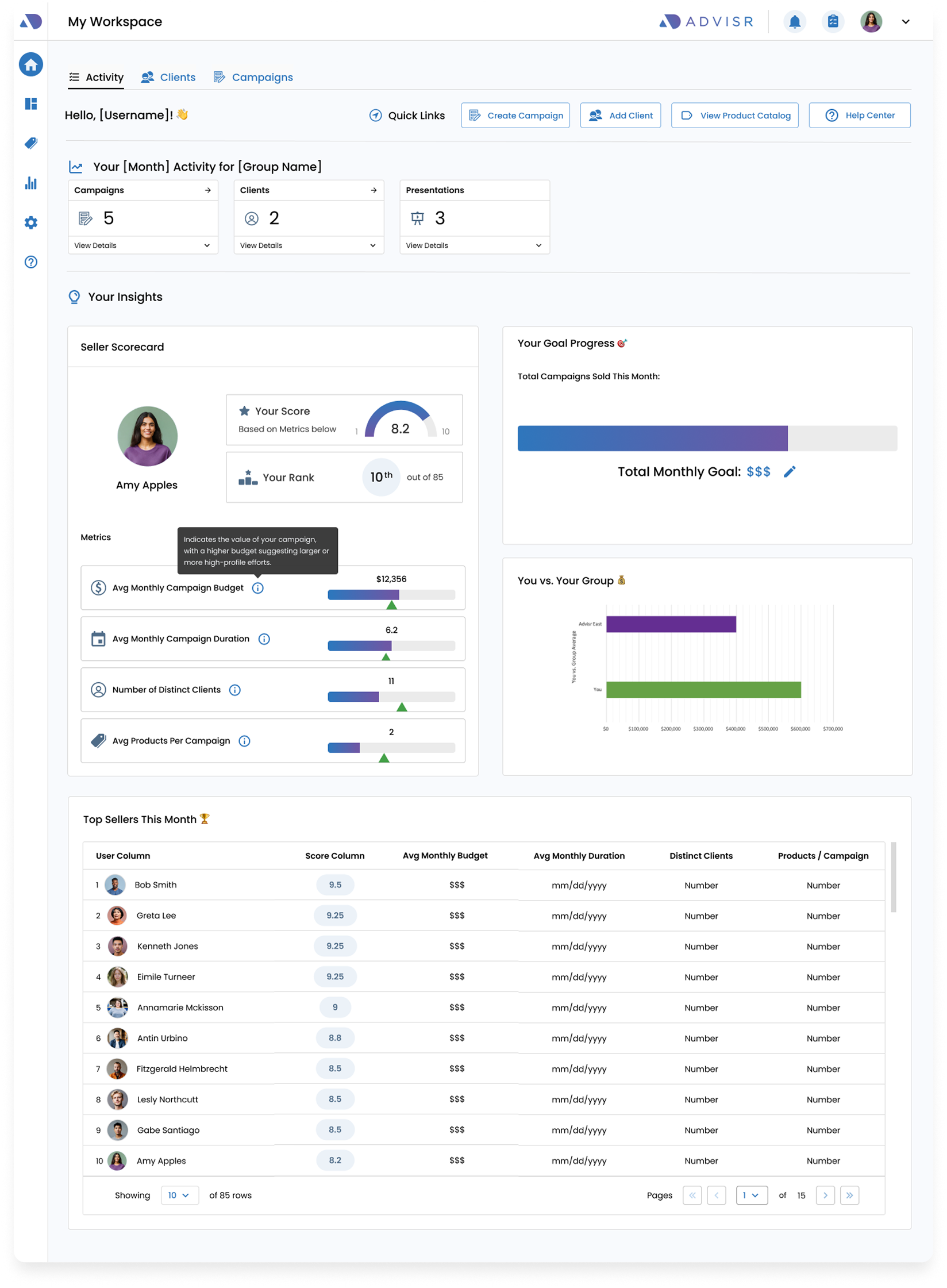
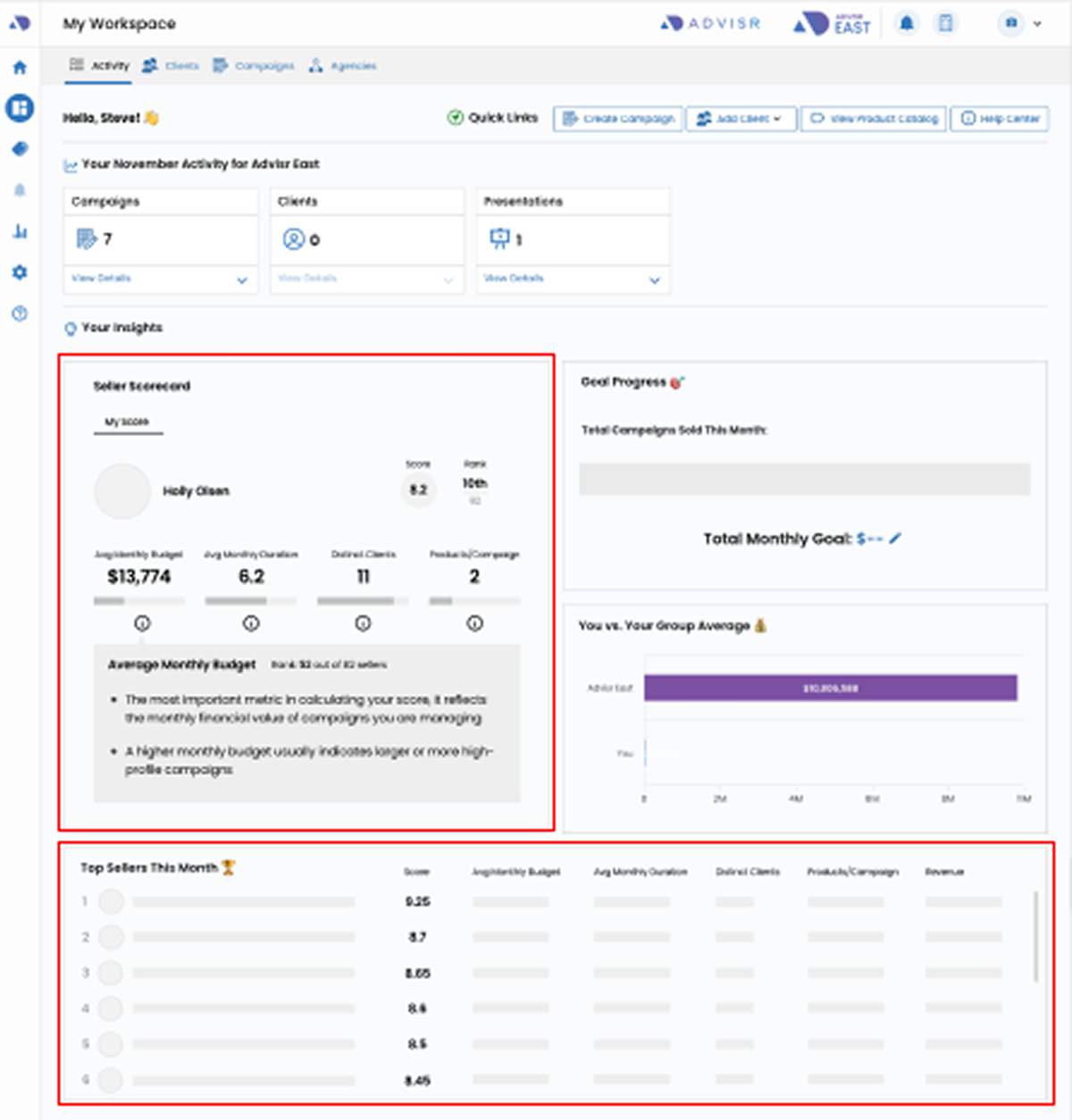
The Seller Score components will appear under the activity tab.

The feature will not appear for everyone and can be configured by the admin.

Once the feature is configured, the seller score card and table will appear on the page.

Seller Score Card Component

The Seller Score Card will show:

  • Increase visibility of performance data in the Activity Tab
  • Engage users by surfacing Seller Scores in-app
  • Motivate sellers through clear, transparent scoring and rewards

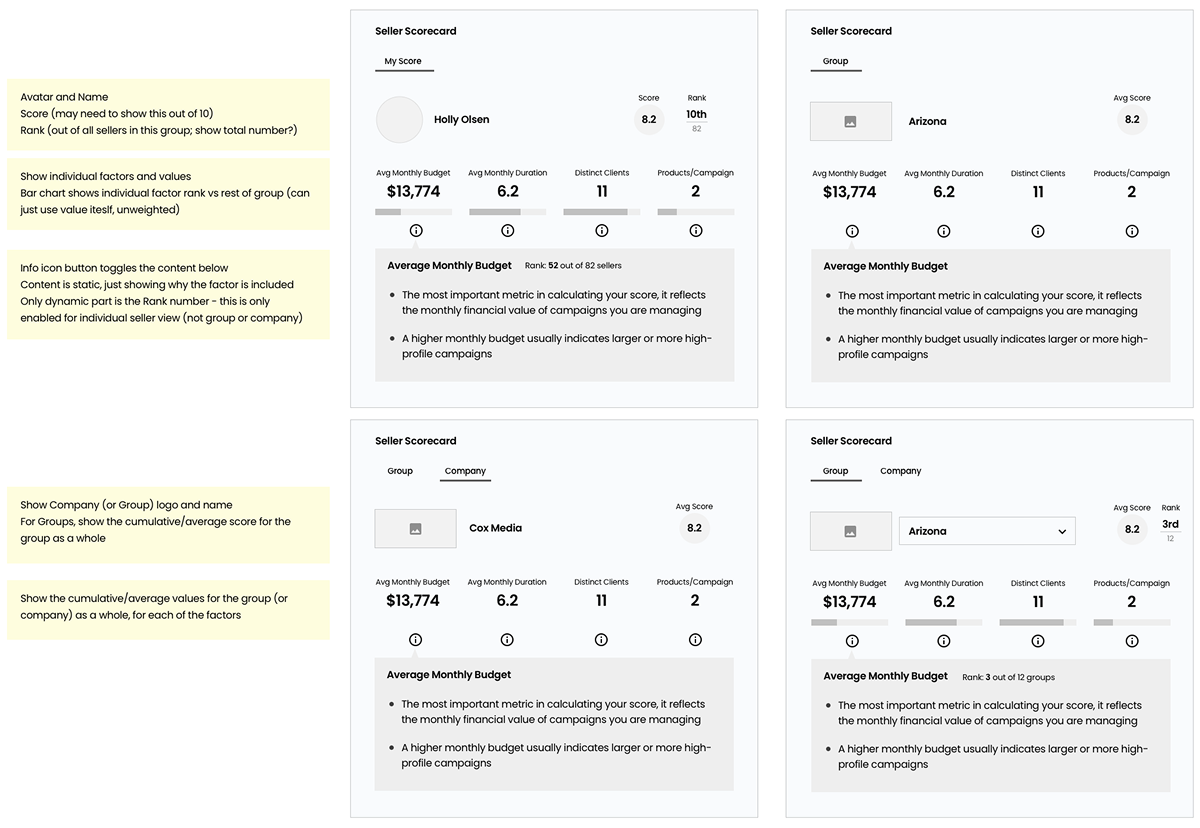
The Card will have different views depending on the user

  • Rep View: Only see their Score
  • Motivate sellers through clear, transparent scoring and rewards

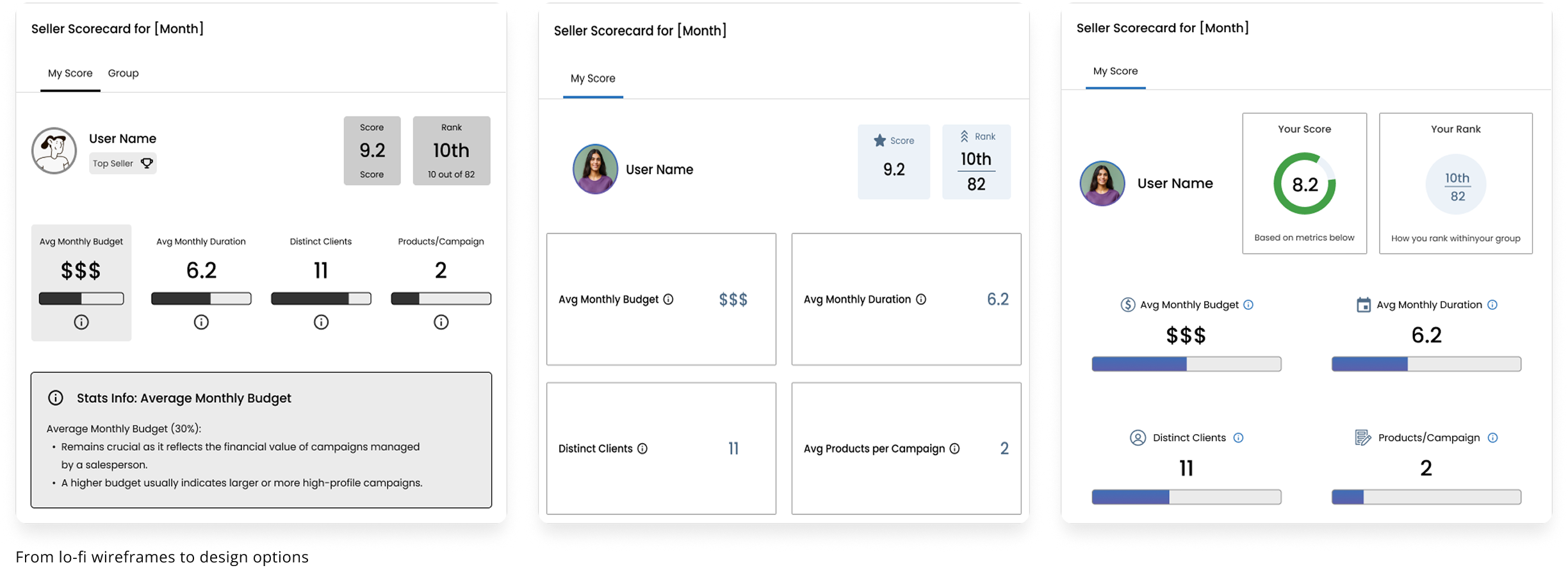
Design Options & Feedback

Mocked up different design options and shared for feedback and made changes accordingly.

Conducted internal user tests with other team members to validate the design decisions.

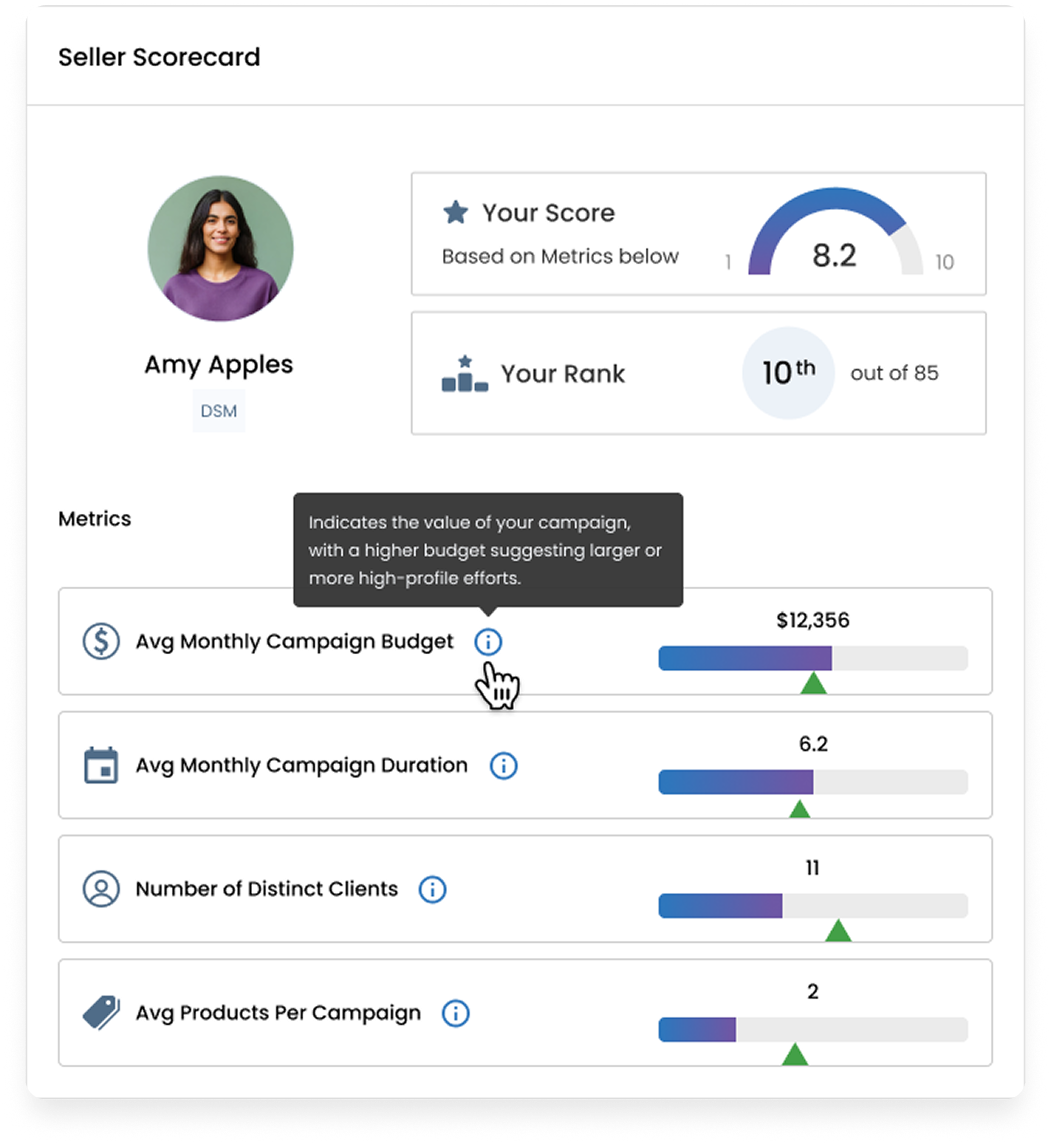
Finalized Designs


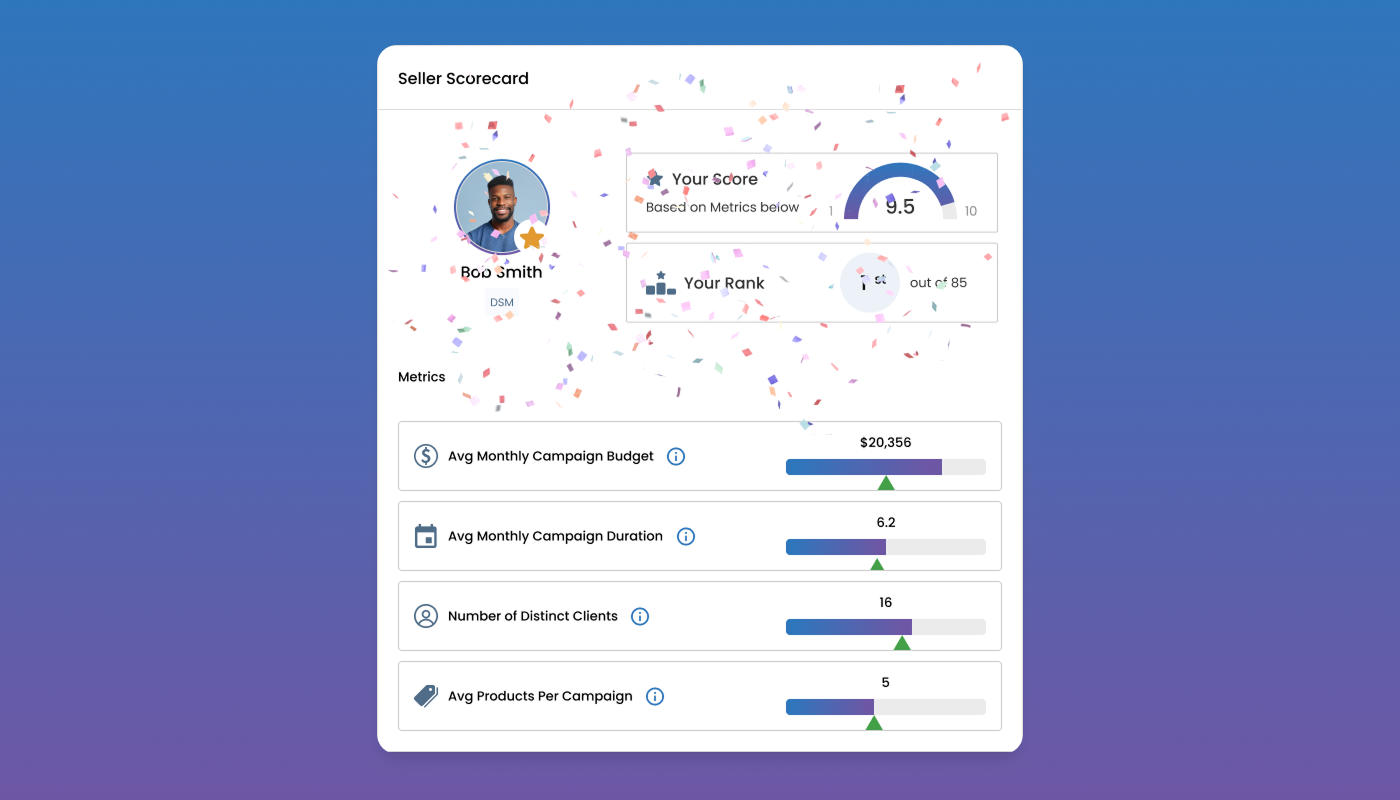
  • Prominent user name and avatar
  • Added contextual text for Score it is based on the 
metrics below
  • Metrics will have tooltips on how the metrics are factored
for transparency

  • Added icons and progress bars for visual elements

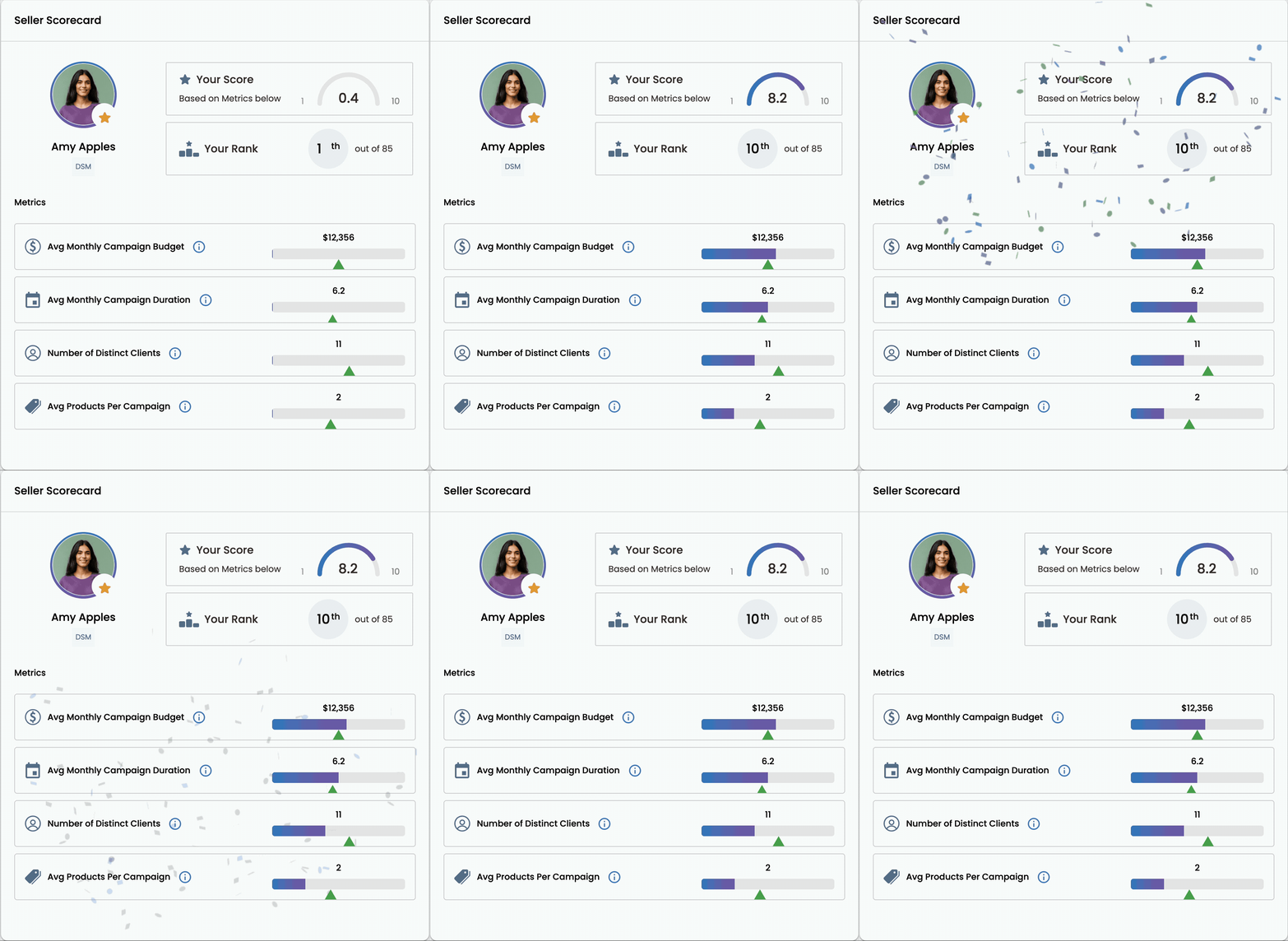
Surprise & Delight

To make the experience more engaging, we explored visual elements that add moments of surprise and delight for users:


  • Proposed a special avatar treatment for top sellers, visible across the app
  • Confetti animation to celebrate top sellers when the page loads

Leaderboard Component

Leaderboard table would also appear once seller score feature is turned on.
The columns will reflect the same information as the Seller Score Card.

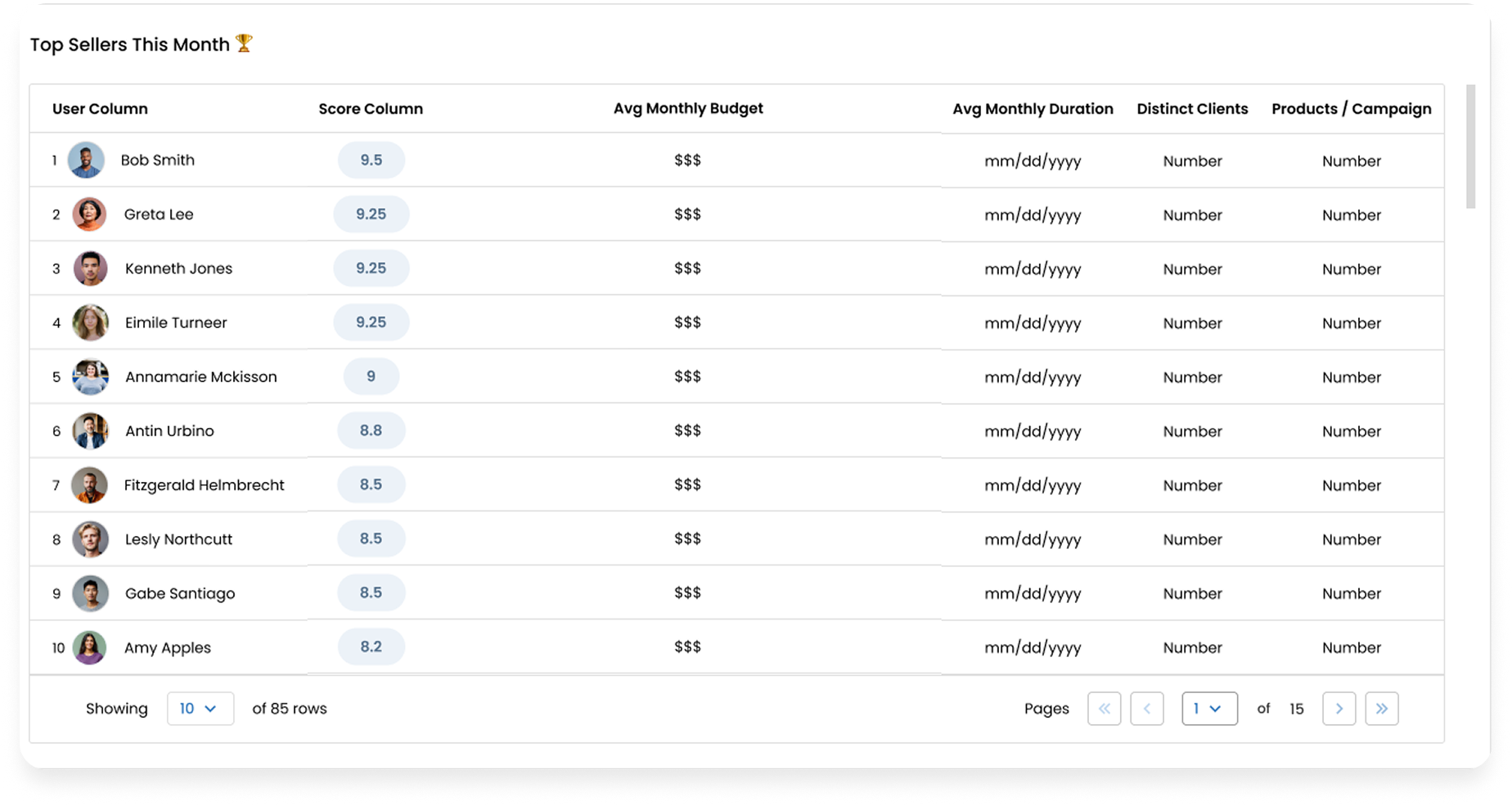
Final Design

Takeaways

User Feedback

  • The confetti animation was well received and added excitement
  • During onboarding, users naturally began comparing ranks and metrics,
    which sparked healthy competition.
  • Contextual text and tooltips made it clear how scores were calculated.
  • The feature demo’d well with potential clients, strengthening sales pitches.

Launch Decisions


Some features were postponed to avoid delays:

  • Initial launch included Rep Seller Scores only, excluding company admins.
  • The special badge treatment for top sellers was deferred for future implementation.