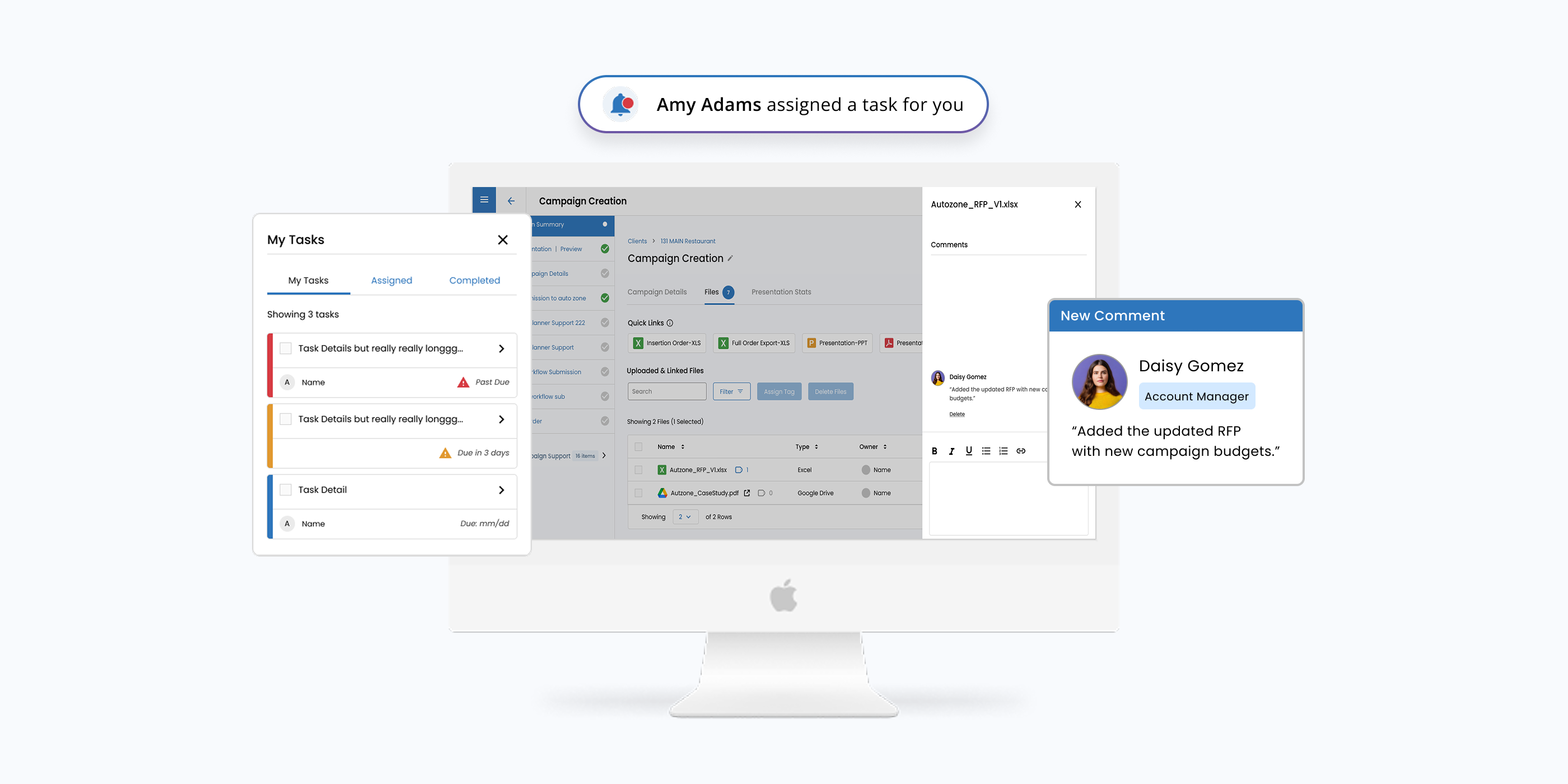
Improving Collaboration with Comments & Tasks

Company: Advisr
Role: Product Designer
Device: Desktop
Tools: Figma, G Suite
Overview

Advisr is a sales enablement platform that helps teams plan, pitch, and close deals more efficiently.

By streamlining key parts of the sales process, Advisr empowers teams to sell smarter and faster.

The Problem

Despite strong campaign building tools, Advisr lacked built in collaboration features.

Users couldn’t leave comments, assign tasks, or receive real-time notifications.
Leading to a 
static experience and forcing teams to rely on external tools like email or Slack to communicate.

The Solution

We introduced native commenting and task assignment to the platform, along with real-time notifications, allowing users to:


Leave Comments
Leave contextual feedback directly on campaign components
Assign Tasks
Tag teammates and assign follow-up actions
Recieve Notifications
Stay informed with in-app and email notifications

This transformed campaign collaboration from disconnected to fully integrated—keeping everything in one place.

Team Members & Collaborators

This initiative was brought to life through close collaboration across several functions:

Product Manager

Defined requirements and success metrics

Developer

Built the frontend and backend infrastructure

QA Analyst

Ensured quality through testing and feedback cycles

Customer Support

Helped gather early feedback from users

Marketing Team

Supported rollout communications and announcements

Timeline & Phases

This was a multi-phase initiative rolled out over time:

  • Phase 1: Core Commenting System + Notifications
  • Phase 2: Tasks
  • Phase 3: Assign comments as task


Each phase was informed by ongoing user feedback, allowing us to build iteratively and deliver more value with each release.
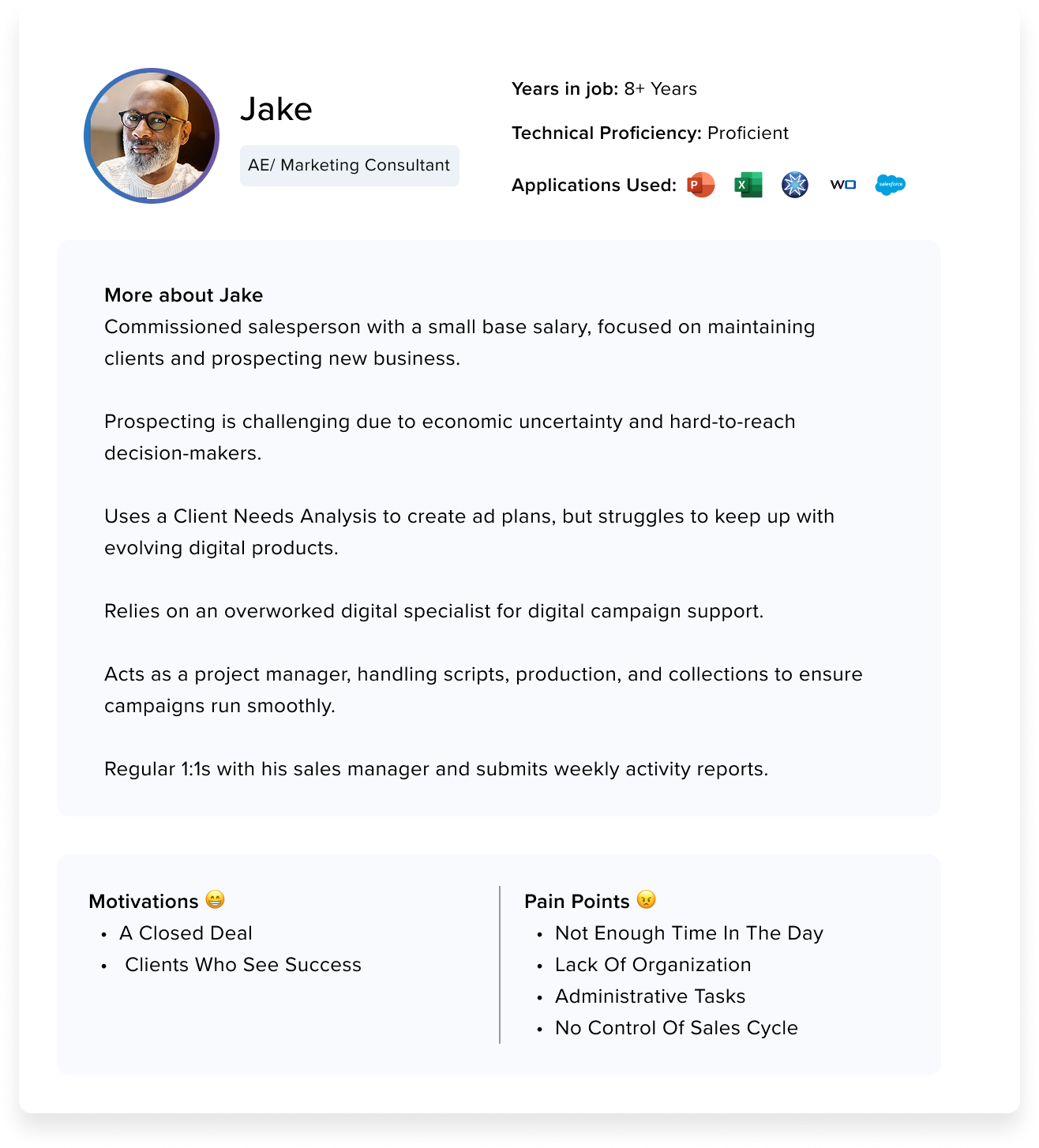
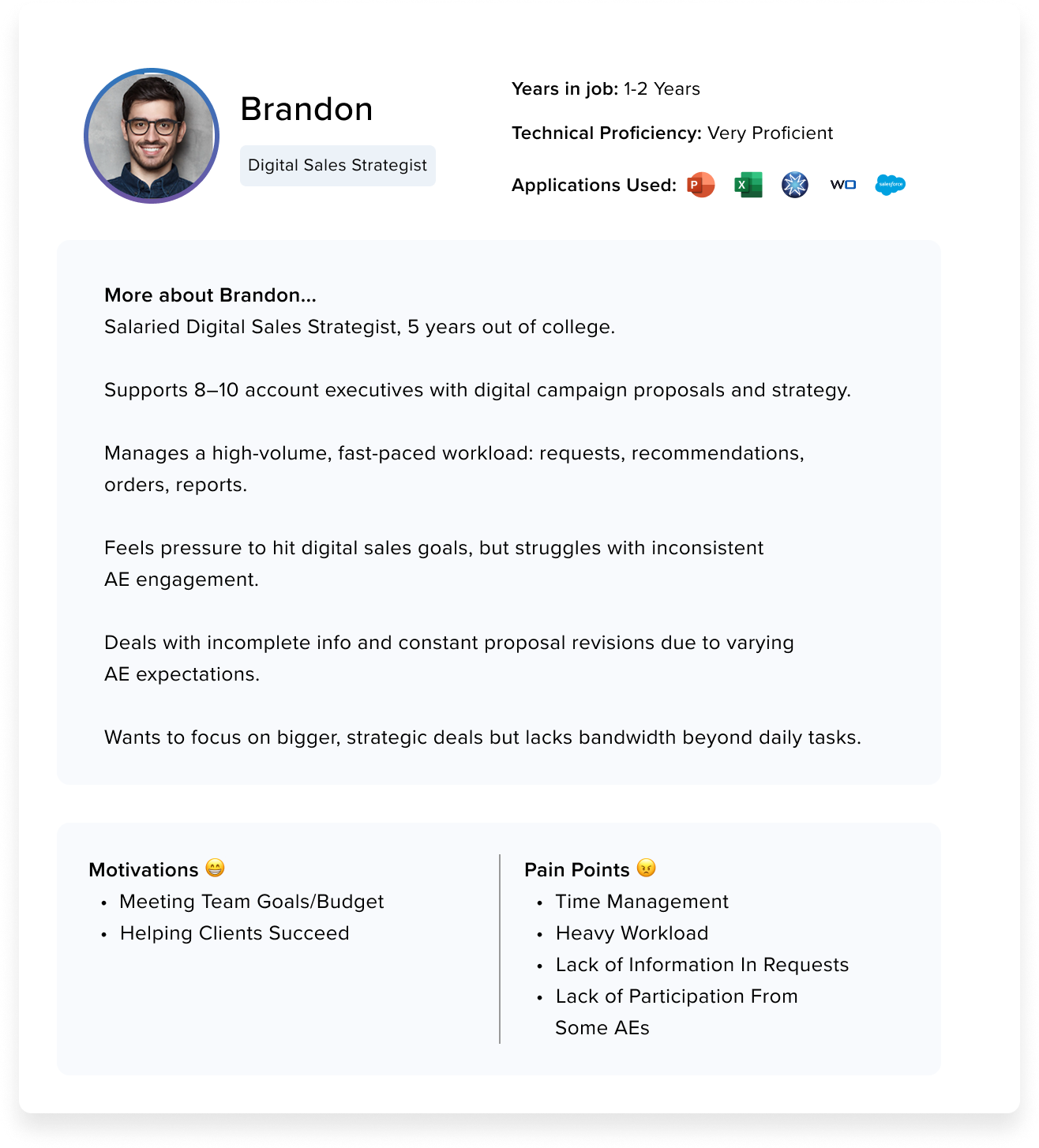
User Personas

Key Pain Points

No Built-In Communication
Users are forced to leave the platform and rely on
external tools
(email, chat, phone) for team communication, leading to scattered, untracked conversations.
Lack of Campaign Visibility
No way to track updates, progress, or shared notes within Advisr, making it difficult to monitor campaign status.
Workflow Challenges
  • Account Executives (AEs) struggle to stay organized and share timely updates.
  • Digital Strategists (DS) juggle heavy workloads without clear, centralized instructions or visibility into campaign changes.
Inefficient Collaboration
The absence of in-app communication hinders alignment, slows decision-making, and creates time management challenges for both roles.

Process

1. Collect Insights & Define Needs
- Worked with the PM and team to get clear on the goals.
- Gathered docs like personas and flows.
- Reached out to CS to surface Users pain points, and mapped out the main use cases and roles.
2. Research & Ideate
- After clarifying on objectives, I went ahead to do some competitor research and UI treatments.
- I sketched out some design concepts and compiled findings in a deck.
- Presented the deck and gathered feedback
3. Design & Mockups
- After landing on a concept with the team, I created lo-fi wireframes in Figma.


- I turned them into clickable prototypes, gathered feedback, tweaked what needed fixing, and prepped two options for user testing.
4. Test & Gather Feedback
- Shared prototypes with both team members
and users.
- Conducted user testing sessions to gather feedback, and iteratively refined the designs based on insights until final approval.
5. Implementation
- Once designs were locked, I built hi-fi wireframes using our design system.


- Worked with the team to fine-tune everything, handed off CSS specs to engineers,
and helped QA the final build.

Phase 1: Introducing Comments & Notifications

As part of the Campaign Files initiative, users can now upload files directly to a Campaign and add comments.

Scope

Design UI Components for comments
Build out backend for comments & notifications
Create email templates for Notifications

    Timeline

    7 Months: June 2022—December 2022

    Leaving a comment

    Users can leave a comment via the actions menu

    Comments Panel

    A panel appears where users can leave comments

    Notification System & Emails

    Users receive email notifications when a new comment is added to a campaign

    How users used comments

    Phase 2: Tasks

    This phase introduced task creation functionality along with 
enhancements to comments based on user feedback.

    Scope

    Build out task panel and the ability to assign tasks
    Add task as part of notifications and email communication

      Timeline

      4 months: October 2023—January 2024

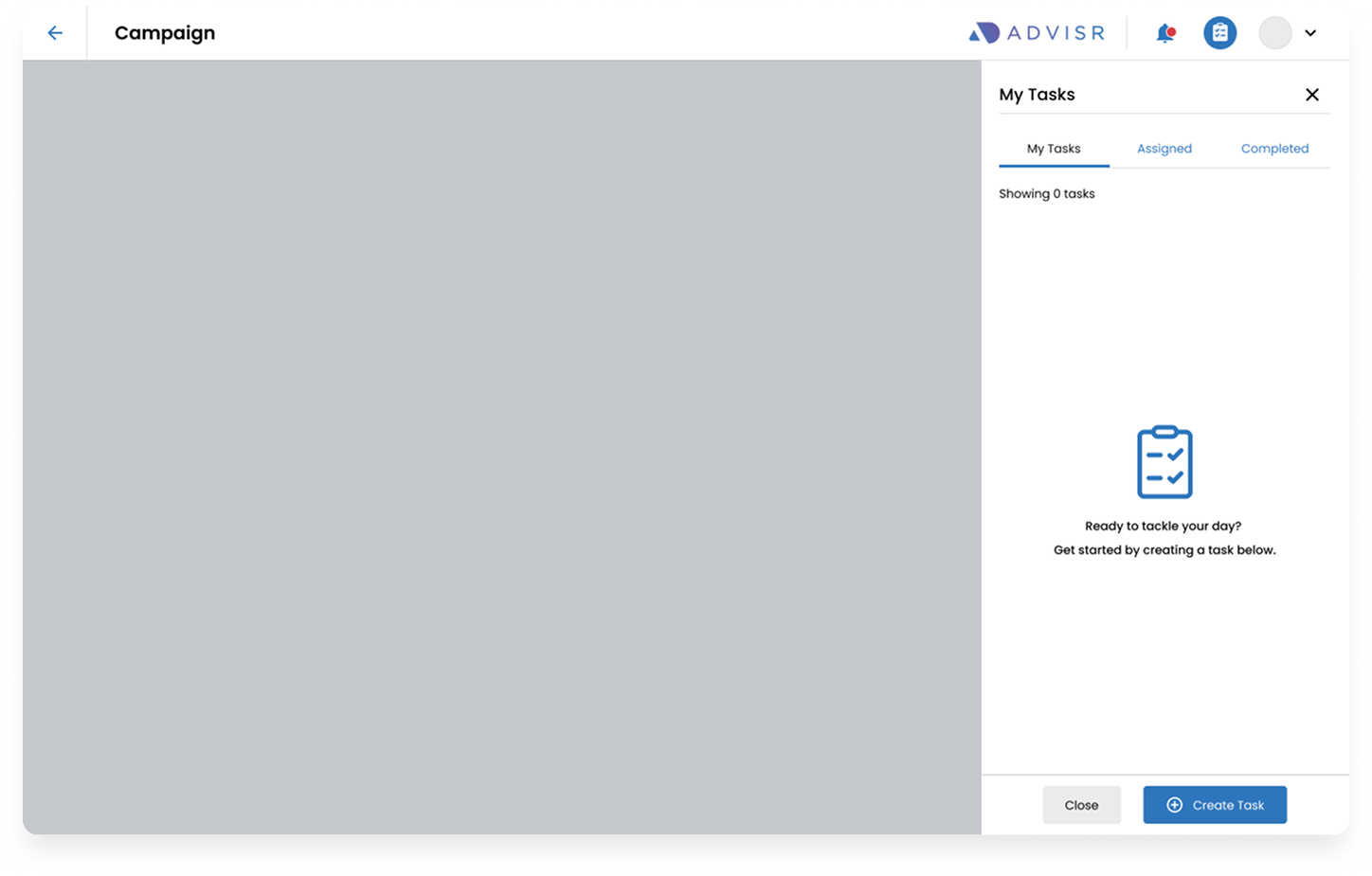
      Task Panel

      Users can access the task panel via top nav

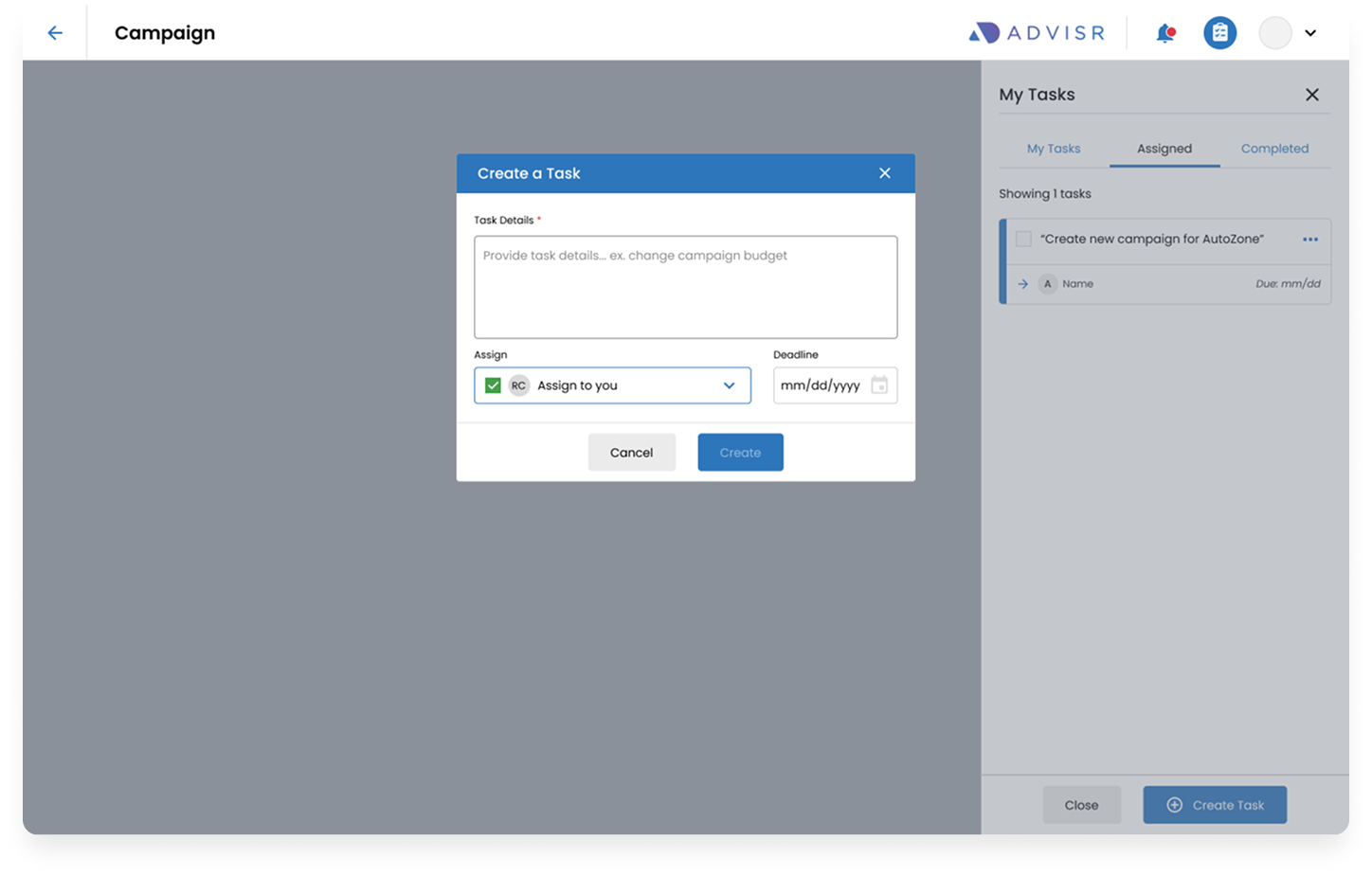
      Creating a Task

      Users can create a task by clicking on the Create a Task CTA

      Modal appears where users can fill in details

      • Task Details (Required)
      • Assign a task to a team member
      • Set a deadline

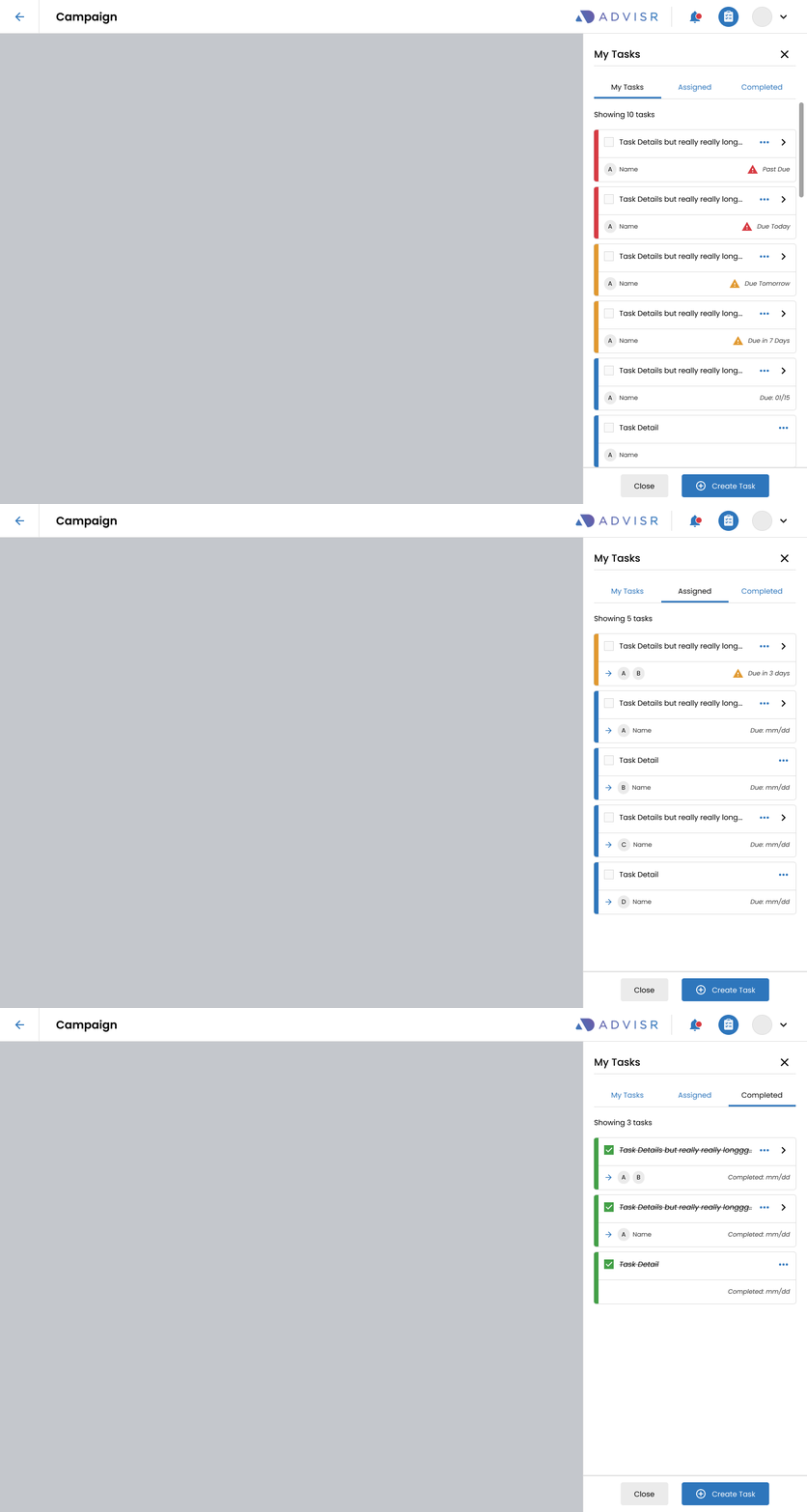
      Managaing Tasks

      Tags are categorized by tabs

      My Tasks

      Show tasks assigned to you

      Assigned

      Keep track of tasks assigned to team members

      Completed

      Show a list of completed tasks

      Phase 3: Comment as Task

      This phase enabled users to assign comments as
actionable tasks, streamlining collaboration and follow-ups.

      Scope

      Add “Assign as Task” functionality within the
 Comments Panel
      Design and implement additional email templates for Comments-as-Tasks


        Timeline

        2 months: June—July 2024

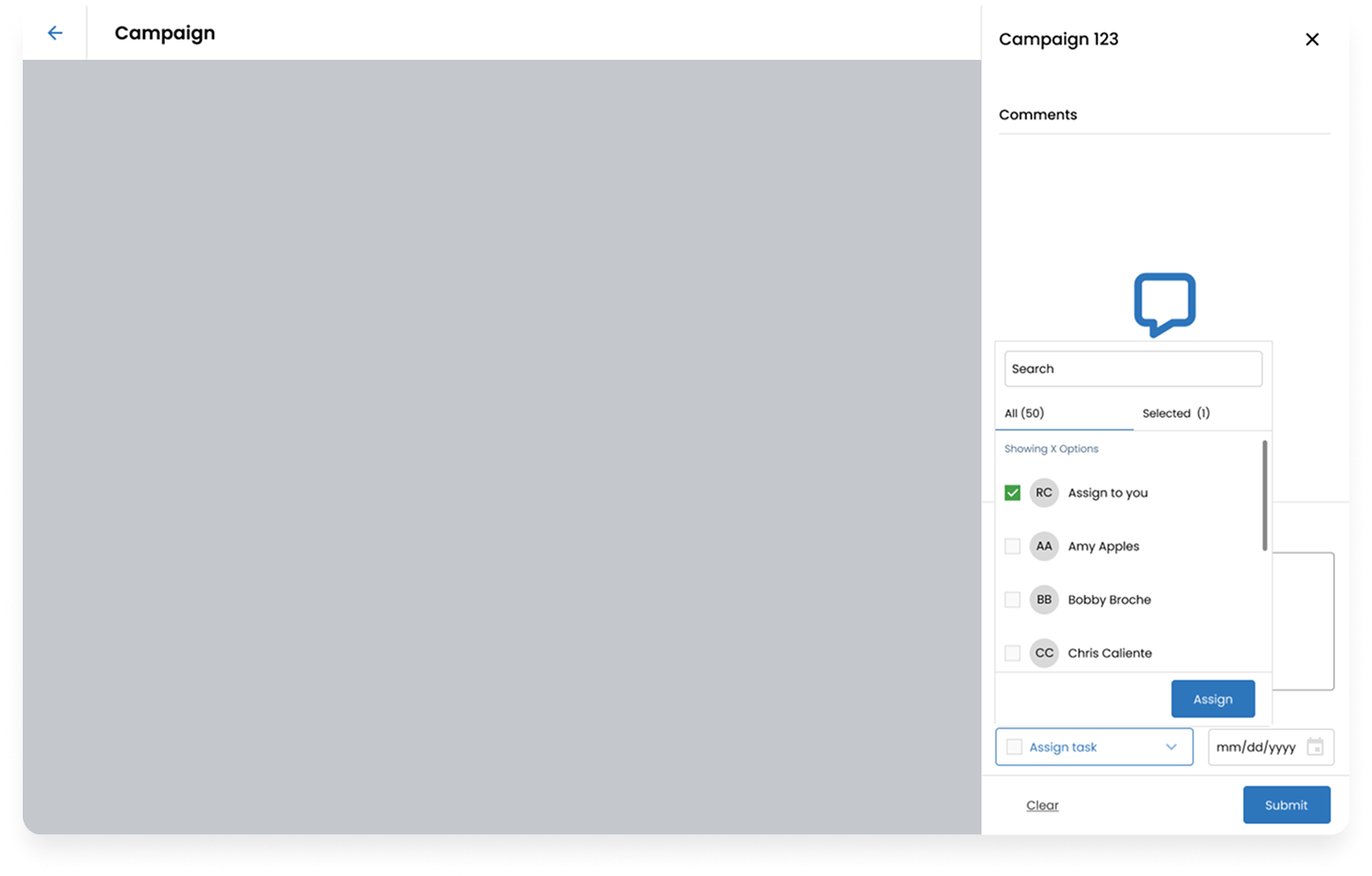
        Assign functionality on comments panel

        • Added assign task field where users can assign task to themselves or other team members.
        • There is also a date field where users can set a deadline

        Impact

        The features significantly improved collaboration and engagement across campaigns.

        370% increase in campaign engagement
        9,167 campaign comments created
        374% growth
 in user mentions
        639 tasks created

          Campaign Collaboration

          Comments quickly became the core collaboration mechanism within campaigns.

          • Teams used comments to coordinate updates and discuss campaign work directly in the platform.
          • User mentions grew 374%, helping bring stakeholders into conversations faster.
          • Highest engagement came from 2060 Digital, CMI, and Lee Enterprises.
          • Feature launched December 2022

          Task Management

          Task usage increased as collaboration features expanded.

          • 639 tasks created across campaigns
          • Early adoption was gradual when tasks launched as a standalone feature in January.
          • Usage increased once tasks were integrated with comments, allowing teams to convert discussions into actionable work.
          • Top contributors included Cox Media, Audacy, Via Media, and Lee Enterprises.

          Notifications

          Notifications became a strong signal of collaboration activity across campaigns.

          • 9,121 notifications sent this year (17K+ since launch)
          • 76% were generated by comment activity, showing discussions became the primary collaboration behavior.
          • 18% were tied to tasks, reflecting growing adoption of the task workflow.
          • Most engagement came from 2060 Digital, CMI, and Audacy.

          Introducing comments and task management created a centralized space for campaign collaboration. By enabling teams to discuss work, mention stakeholders, and convert conversations into tasks, the features significantly increased engagement and helped teams coordinate campaign work more efficiently within the platform.